
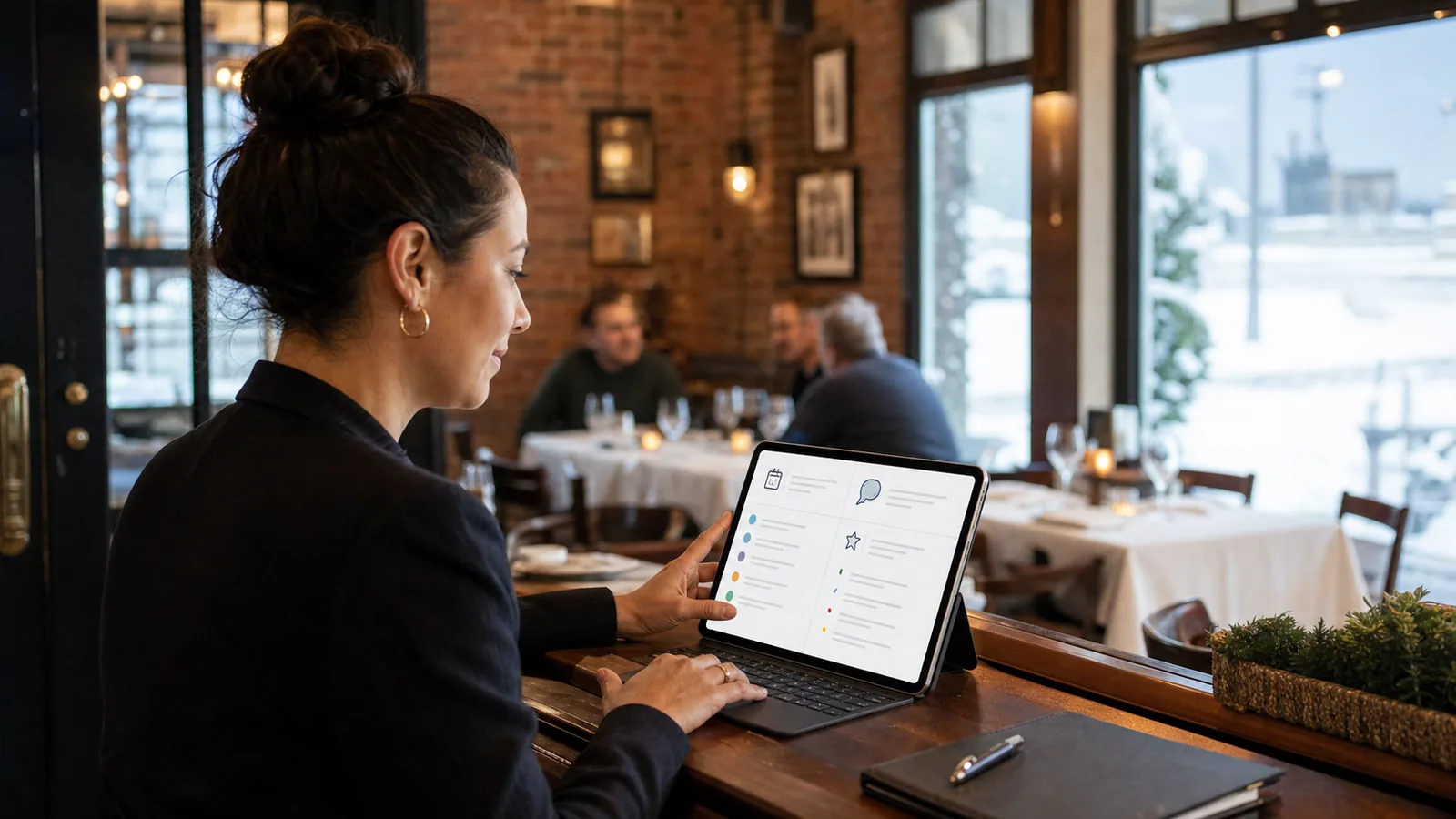
Restaurants are busy even when the dining room looks calm. Someone is asking about hours on Google, a parent is checking whether you can host a small party, a catering inquiry is sitting in an inbox, and a manager is trying to cover the floor.
That is where restaurant automation can help — not by removing hospitality, but by making sure repeated questions, inquiries, reviews, and handoffs do not disappear when the night gets busy.
For restaurants in Buffalo, Lewiston, Niagara Falls, and across Western New York, the most useful automation usually starts with simple communication workflows: answer common questions clearly, collect the right details, notify the right person, and keep the customer experience friendly.
Quick answer: what restaurant automation should do first
Restaurant automation should first handle repeated, low-risk communication tasks: FAQs, catering inquiry intake, review requests, event request routing, and internal manager notifications. The goal is not to make your restaurant feel robotic. The goal is to reduce missed messages, keep guests informed, and give managers cleaner information before they follow up.
Practical restaurant automation ideas at a glance
| Workflow | Best for | What it prevents | First step |
|---|---|---|---|
| Website FAQ assistant | Restaurants answering the same questions daily | Staff interruptions for hours, parking, dietary, private room, or reservation questions | List the top 20 questions guests ask |
| Catering inquiry intake | Restaurants, cafes, banquet rooms, and hospitality groups | Incomplete catering requests and slow follow-up | Create a form that asks for date, headcount, location, budget range, and event type |
| Private event handoff | Restaurants with party rooms or event managers | Event leads sitting in a general inbox | Route event inquiries to the correct manager with a task and summary |
| Review request follow-up | Restaurants that want a more consistent review habit | Forgetting to ask happy guests for feedback | Send a polite review request after appropriate orders, events, or visits |
| Missed message response | Busy front-of-house teams | Social, website, or voicemail inquiries going unanswered | Send a quick confirmation and create a follow-up task |
| Manager escalation | Any restaurant with time-sensitive guest issues | Staff missing complaints, large-party requests, or urgent questions | Define which words or form answers should alert a manager |
Why this matters for Buffalo and WNY hospitality teams
Restaurant work moves fast. In Western New York, local restaurants also deal with seasonal swings: patio season, football weekends, holiday parties, snowstorm schedule changes, Lewiston summer traffic, Niagara Falls tourism, and Buffalo event nights.
When the phone rings during a rush or an inquiry arrives after hours, the guest does not see what is happening behind the scenes. They only know whether they received a clear answer.
A practical automation system can help your team:
- Acknowledge inquiries quickly.
- Collect complete details before a manager replies.
- Keep routine questions from interrupting service.
- Route catering and event requests to the right person.
- Ask for reviews in a consistent, respectful way.
- Give staff a cleaner handoff instead of another loose sticky note or buried email.
The key is to automate the repetitive parts while keeping hospitality human.
1. Website FAQ automation for repeated guest questions
Most restaurants answer the same questions over and over:
- What are your hours?
- Do you take reservations?
- Do you have gluten-free options?
- Is there parking nearby?
- Do you offer catering?
- Can you host a private event?
- Are you open on holidays?
- Do you sell gift cards?
A controlled FAQ assistant or chatbot can answer those questions on your website using approved information. This is one of the safest places to start because the answers are usually factual and repeatable.
A good AI chatbot for small business should not guess. It should use your approved menu, hours, policies, and contact instructions. If the question is sensitive, unusual, or high-value, it should hand the guest to a person.
Trigger: A visitor asks a question on your restaurant website.
Action: The assistant answers from approved FAQ content or offers the correct contact path.
Human handoff: If the visitor asks about a private event, allergy concern, complaint, or custom catering request, the system creates a task or sends a manager notification.
Customer experience: The guest gets a quick, helpful answer instead of waiting until someone has time to check the inbox.
When not to automate: Do not let an assistant make promises about allergens, medical dietary safety, final pricing, event availability, or manager approvals unless those rules are carefully reviewed by your team.
2. Catering inquiry automation that collects complete details
Catering requests can be valuable, but they are often incomplete. A message like “Do you cater parties?” does not give your team enough to quote, schedule, or qualify the opportunity.
A simple catering workflow can collect the basics before a manager follows up:
- Event date
- Event location
- Approximate guest count
- Type of event
- Pickup, delivery, or staffed service
- Budget range if appropriate
- Dietary needs or special requests
- Best contact method
This makes follow-up easier and helps the guest feel like the process is organized.
Example: A Buffalo restaurant receives a Saturday night website inquiry for a company lunch. Instead of that message sitting in a general inbox, the form sends an immediate confirmation, asks for headcount and date, logs the inquiry, and creates a follow-up task for the catering manager.
That is not complicated automation. It is just a cleaner path from “someone is interested” to “the right person knows what to do next.”
3. Private event and large-party handoffs
Restaurants with party rooms, patios, banquet spaces, or group dining options often need a different process for event inquiries than normal reservations.
A private event workflow can help separate normal guest questions from higher-value opportunities.
Trigger: A guest selects “private event,” “large party,” “catering,” or “group reservation” on a form or chatbot.
Action: The system collects event details and sends the inquiry to the correct manager.
Human handoff: The manager receives a concise summary with contact info, event date, guest count, and requested service.
Customer experience: The guest receives a friendly confirmation that someone will review the request, rather than wondering if the form worked.
When not to automate: Final availability, minimums, menu commitments, and custom pricing should still be handled by a person.
If private events are an important part of your revenue mix, this kind of workflow is often more useful than a generic contact form.
Start with the inquiry that gets missed most
Not sure which restaurant workflow is worth fixing first? WNY Business Automation can review how your restaurant currently handles FAQs, catering requests, reviews, and manager handoffs, then suggest three practical automations to start with — without a giant software overhaul.
4. Review request automation without being pushy
Restaurants rely heavily on word of mouth and local trust. Reviews can help, but review requests should be handled carefully and respectfully.
A review request workflow can remind your team to ask at the right time, or send a polite follow-up when appropriate. For example:
- After a catered event is completed
- After a private party
- After a pickup order from a regular customer
- After a successful reservation or special occasion, if your tools support that responsibly
The message should be simple, optional, and pressure-free. Businesses should not offer incentives for reviews or pressure customers in ways that violate platform rules.
A review request automation workflow can help make the habit more consistent, but it still needs good judgment. If there was a complaint, delay the review request and route the issue to a manager instead.
5. Missed message and after-hours response
Restaurants often receive messages outside normal office-style hours. A guest might ask about a brunch reservation at 10 p.m. A catering lead might come in on a Sunday. A tourist visiting Niagara Falls might be comparing dinner options while your team is in the middle of service.
A simple response workflow can acknowledge the message and set expectations.
For example:
> “Thanks for reaching out. We received your inquiry and will review it as soon as possible. If this is about a reservation for tonight, please call the restaurant directly.”
That kind of automation is not pretending to be a person. It is giving the guest clarity and helping your team avoid cold starts the next day.
For more lead-focused workflows, WNY Business Automation also supports automated lead follow-up systems that can route inquiries, create reminders, and keep follow-up from depending on memory alone.
6. Manager alerts for guest issues and urgent requests
Some messages should not wait until someone checks the inbox.
A manager alert workflow can watch for specific form answers or message categories, such as:
- Complaint or poor experience
- Allergy or safety-related question
- Large party request
- Catering inquiry above a certain guest count
- Same-day event issue
- Press or partnership inquiry
The system does not need to solve the issue. It only needs to make sure the right person sees it quickly.
Trigger: A form, chatbot, or message contains a priority category.
Action: The system sends an alert through email, SMS, Slack, or whatever channel the manager actually checks.
Human handoff: A person reviews and responds.
Customer experience: The guest gets a more appropriate response because the issue did not sit in the wrong place.
When not to automate: Complaints, refunds, sensitive customer issues, and food safety concerns need human judgment.
7. Staff task lists for daily follow-up
A lot of restaurant follow-up fails because it lives in too many places: voicemail, Instagram messages, website forms, email, a reservation platform, and someone’s memory.
A daily task list can bring those items together.
For example, every morning a manager could see:
- New catering inquiries
- Private event requests waiting for follow-up
- Website questions that need human answers
- Review requests to approve
- Guest issues that need a callback
This does not require a massive restaurant management system. In many cases, it starts with the tools you already use and a clearer routing process.
What should restaurants automate first?
Start with the place where missed messages cost the most time or create the most guest frustration.
For many restaurants, that means one of these:
- Catering and event inquiries because the details matter and the opportunities can be valuable.
- Website FAQs because repeated questions interrupt staff and can be answered from approved information.
- Review requests because consistency matters, but the tone needs to stay respectful.
- Manager handoffs because important issues should not get buried in a general inbox.
Do not automate everything at once. Pick one workflow, test it, improve the wording, and make sure your team actually uses the handoff.
Common mistakes with restaurant automation
Making the messages sound robotic
A restaurant’s tone matters. Automated messages should still sound warm, local, and human. Avoid stiff language that feels like a ticketing system unless that fits your brand.
Letting the system guess
Automation should work from approved answers, clear rules, and defined handoffs. It should not invent menu details, availability, policies, or pricing.
Routing everything to the owner
If every alert goes to the owner, the workflow will eventually get ignored. Route catering, reviews, complaints, reservations, and general questions to the person best suited to handle them.
Forgetting the staff experience
If the automation creates tasks in a place no one checks, it will fail. Build around your current tools where possible.
Asking for reviews at the wrong time
Review requests should be polite and optional. If a guest had a problem, route the issue to a manager instead of asking for a public review.
Is this a good fit?
Restaurant automation may be a good fit if:
- Your team answers the same questions every day.
- Catering or private event inquiries come through your website, email, or social channels.
- Managers lose track of follow-up during busy service periods.
- Review requests happen inconsistently.
- Guest issues sometimes sit in the wrong inbox.
It may not be the right fit yet if:
- Your menu, hours, and policies are not documented anywhere.
- No one owns follow-up internally.
- Your team will not check the place where tasks or alerts are created.
- You want automation to replace hospitality instead of supporting it.
The best systems are simple, reviewed, and built around how your restaurant actually works.
How WNY Business Automation can help
WNY Business Automation helps local businesses use automation and AI in practical, plain-English ways. For restaurants and hospitality teams, that may include:
- Website FAQ assistants with approved answers
- Catering inquiry forms and manager handoffs
- Private event request routing
- Review request workflows
- Missed message follow-up
- Daily task lists for managers
- Simple CRM or spreadsheet workflows for inquiries
The goal is not to add more software for its own sake. The goal is to help your team respond faster, stay organized, and keep the guest experience professional.
FAQ
What is restaurant automation?
Restaurant automation is the use of simple systems to handle repetitive communication or admin tasks, such as answering common questions, collecting catering inquiry details, sending review requests, or notifying managers when a guest needs a human response.
Will automation make my restaurant feel less personal?
It can if it is done poorly. Good restaurant automation should support hospitality, not replace it. The best workflows answer routine questions clearly and hand important conversations to a person.
Can a restaurant chatbot answer menu questions?
Yes, but it should only answer from approved information. It should not guess about allergens, availability, pricing, or policies. Sensitive questions should be routed to staff.
What should a restaurant automate first?
Most restaurants should start with repeated FAQs, catering inquiries, review requests, or manager handoffs. Choose the workflow that currently creates the most missed messages or staff interruptions.
Can automation help with catering requests?
Yes. A catering inquiry workflow can collect event date, guest count, location, service type, and contact details before a manager follows up. This can make the process cleaner for both the guest and the restaurant.
Is restaurant automation only for large restaurant groups?
No. Small restaurants, cafes, bars, and hospitality teams can often start with one simple workflow. The key is to keep it focused and build around tools the team will actually use.
Take the next step
If your Buffalo, Lewiston, Niagara Falls, or WNY restaurant is losing track of FAQs, catering inquiries, review requests, or manager follow-ups, WNY Business Automation can help map a simple first workflow.
Start with a low-pressure review and get three practical automation ideas for your restaurant — no hype, no giant software overhaul, and no promise that one tool fixes everything.
---
Request a Free Automation Audit to get a few practical ideas for the first workflow worth improving.